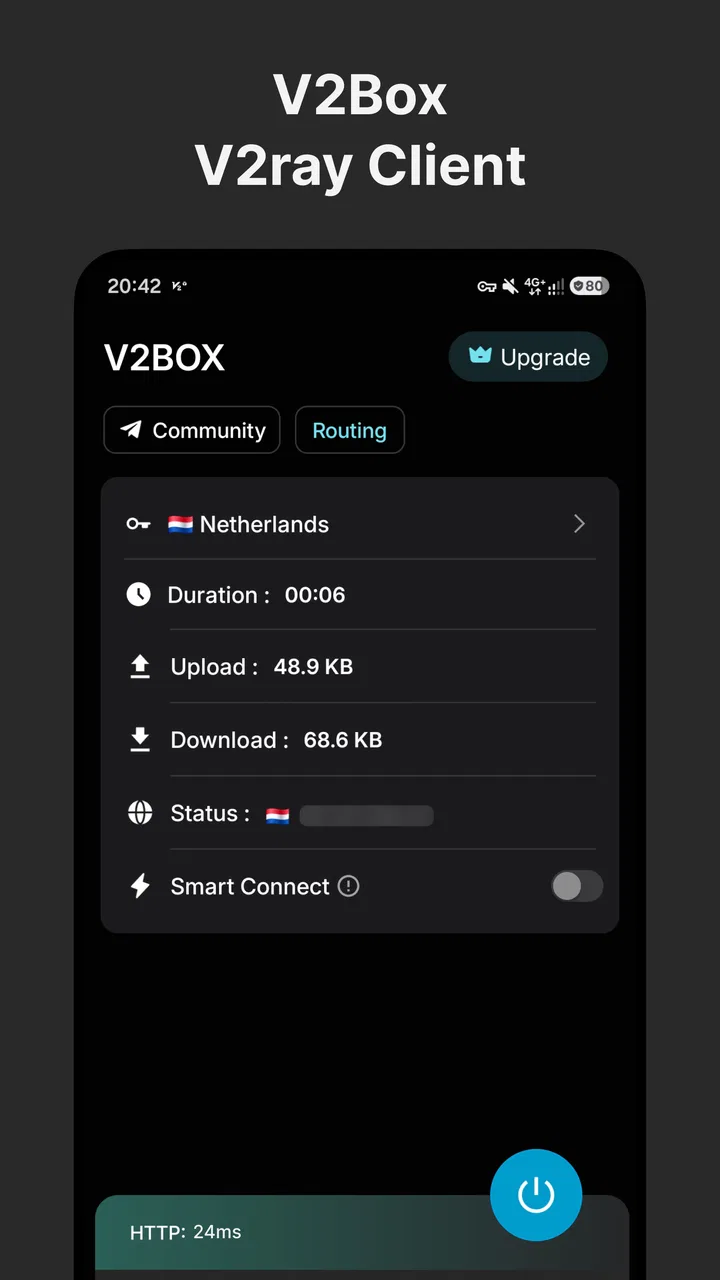
V2Box
- 4.4
- Rating
- 5.00M
- Installs
- Free
- Price

 Analysis by App-foxy
Choosing a network utility is rarely about finding the app with the longest protocol list. The real question is whether it fits the way you connect, how much control you want, and how comfortable you are handling technical details. I spent time with V2Box as a tools app from HexaSoftware, and my impression is that it is aimed at people who already understand the basics of proxy profiles, remote servers, and connection modes rather than complete beginners looking for a one-tap solution.
Its appeal comes from flexibility. The app brings several connection methods into one place, including vmess, vless, trojan, SSH, Hysteria, and Ping Tunnel. That range makes it more useful than a simple single-purpose client when you regularly move between different configurations. At the same time, flexibility creates responsibility: the quality of the experience depends heavily on the profiles you use, the server behind them, and your ability to diagnose a failed connection.
What I looked for before recommending it
My first decision criterion was profile handling. A client can support many protocols on paper and still feel frustrating if adding, editing, or switching configurations is awkward. With V2Box, I would judge it less like a conventional consumer VPN and more like a compact connection manager. That distinction matters because users who expect a large catalog of ready-made locations may feel lost, while users who already have configuration details can make better use of the app.
You May Also Like

 Blood Strike: 2.5 Anniversary
Blood Strike’s Loadouts Turn Every Drop Into a Tactical Gamble
A close look at Blood Strike’s custom loadouts: how fast access to signature weapons reshapes its battle royale rhythm, rewards preparation, and narrows the gap between fights.

 Pandora - Music & Podcasts
Pandora’s Music Is Easy to Start, but Harder to Recover
Pandora’s strength is its low-effort path from a seed to a station. Its weak spot is how much confidence it asks you to place in connection, setup, and quiet recovery.

 8 Ball Pool
 Is Built on Rivalries, Rematches, and Routine
A close look at the rivalries, rematches, shared routines, and unanswered safety questions that turn a quick pool match into a persistent mobile community.

 Samsung Music
’s Quiet Strength Is Playing What You Already Own
Its reach comes less from spectacle than from dependable access to a personal library. That simplicity is both the app’s strongest retention engine and its ceiling.

 AccuWeather: Weather Radar
AccuWeather Review: A Quick, Clear Forecast for Everyday Decisions
For everyday plans, the best forecast is the one you can understand quickly. AccuWeather makes rain timing, radar, and local conditions easy to act on, with a few trade-offs.

 Hill Climb Racing
Why Hill Climb Racing Still Turns Crashes Into One More Run
A tiny car, a bumpy hill and one more upgrade: Hill Climb Racing keeps resurfacing because its simple chaos makes every near-miss feel personal.
More From Our News Desk



The second criterion was practical switching. In everyday use, I do not want to rebuild a connection every time I change networks. A useful tool should let me keep separate configurations for home, work, travel, or a particular remote service, then return to the right one without hunting through notes. This is where a multi-protocol client can save time, provided the profile information is organized clearly.
I also paid attention to how much troubleshooting the app leaves to the user. A failed connection may come from an expired server, a mistyped address, an incompatible transport setting, a blocked network, or an issue unrelated to the client itself. V2Box is most comfortable in the hands of someone willing to check those possibilities. If you prefer an app that hides all technical decisions behind a large connect button, this is probably the wrong category of tool.
There is also a privacy-related decision to make. A proxy client is not automatically a privacy product simply because traffic passes through it. Your trust is divided between the application, the configuration source, and the server operator. I would never install an unknown profile casually, and I would avoid treating a connection as secure merely because it connects successfully. The app can manage a route, but it cannot make an untrusted server trustworthy.
V2Box is free to install, with optional in-app items ranging from $0.99 to $7.99 each. That makes trying it relatively easy, although I would still check what any optional purchase changes before paying. The free entry point is useful for testing whether your profiles work and whether the interface suits you before committing to a different tool or service.
A practical first setup
My advice is to begin with one known-good profile instead of importing a large collection at once. Give it a clear name that includes its purpose, such as “home backup” or “travel connection,” rather than leaving several entries with vague labels. This small habit becomes important once you have configurations using different protocols, because the protocol name alone does not tell you which server is best for a particular situation.
After adding the profile, test it on the network where you actually need it. A configuration that works on home Wi-Fi may behave differently on mobile data, a hotel network, or a workplace connection. I would also test ordinary tasks separately: opening a webpage, using a messaging app, and transferring a file can expose different weaknesses. A successful connection indicator is not the same as a reliable everyday connection.
One useful workflow is to keep a known fallback profile available rather than deleting an older configuration as soon as a new one works. When a server changes or a setting is edited incorrectly, having a backup can save a lot of frustration. This is a more important advantage of a profile-based tool than it may seem, especially for users who depend on connectivity while travelling.
Where the broad protocol support helps
The strongest part of V2Box is its ability to gather several connection families inside one app. Vmess and vless profiles may be familiar to users who already maintain their own configurations, while trojan offers another route for people whose provider or server setup uses it. SSH, Hysteria, and Ping Tunnel broaden the possible workflows further, so you do not need a separate client for every configuration type.
That does not mean every user should use every option. In my view, the protocol list is valuable mainly because it reduces app switching. If you receive configurations from different sources or maintain more than one type of remote connection, one consistent interface is easier than remembering several unrelated tools. The benefit is organizational as much as technical.
A realistic example would be a user who keeps one profile for a personal server, another supplied by a trusted administrator, and a third for a temporary travel arrangement. Instead of installing separate clients and remembering which one handles each profile, V2Box can serve as the common workspace. The trade-off is that you still need to understand which profile is appropriate and whether its source deserves your trust.
The Ping Tunnel option is particularly interesting for users whose needs do not fit the usual “browse through a proxy” pattern. It suggests a more specialized use case, but I would not select it simply because it appears in the list. Specialized modes generally make sense only when your server setup or network problem specifically calls for them. For ordinary browsing, choosing the simplest working profile is usually the better decision.
Small habits that make the app easier to live with
My first practical tip is to treat profile names as documentation. Include the location, purpose, or owner in the label, but avoid putting sensitive credentials into a name that could appear in a screenshot. This makes switching faster while reducing the chance of accidentally sharing private information when asking for help.
My second tip is to change one setting at a time. When a profile fails, it is tempting to edit several fields together, but that removes any clear clue about what fixed or broke the connection. Keeping a copy of the last working configuration before experimenting gives you a dependable rollback point. This is especially useful with technical clients because a small mismatch can look like a total service failure.
My third tip is to separate reliability testing from speed expectations. A connection that feels fast during a short webpage visit may become unstable during a longer call, download, or upload. I would test the activities that matter to you rather than judging the app from a single quick connection. If the problem follows one profile across several networks, the server or configuration is a more likely cause than the app itself.
Another overlooked habit is checking the active profile before doing anything sensitive or important. When several configurations look similar, it is easy to assume the previous one is still active. A quick confirmation can prevent you from sending traffic through the wrong server or wondering why a service appears to be behaving differently.
Where another kind of app may be a better fit
V2Box is not automatically better than a mainstream VPN application. A conventional VPN is often the more comfortable choice for someone who wants a subscription, a simple server list, and minimal configuration work. Those apps usually make the decision process easier by presenting a small number of familiar actions. If your priority is convenience rather than protocol control, a traditional option may suit you better.
A dedicated SSH client can also be preferable when your work is specifically terminal-based. V2Box may be useful for an SSH-related connection workflow, but it should not be confused with a full remote administration environment. If you need rich shell interaction, file management, port forwarding controls, or development-oriented tools, a purpose-built SSH application may provide a clearer experience.
Likewise, users who manage advanced server infrastructure may prefer a desktop client or a platform-specific tool with deeper diagnostics. A phone is convenient for quick switching, but detailed troubleshooting can be easier on a larger screen. V2Box makes most sense when mobility and consolidation matter more than having every possible diagnostic control visible at once.
There is a separate case for people who only need one trusted connection. If your provider gives you a single profile and you rarely change it, the app’s broader support may not offer much practical value. A simpler client can reduce the number of choices and make it easier for another family member or colleague to operate the connection without guidance.
I would also skip it if you are uncomfortable with configuration files, server addresses, or diagnosing connection failures. The app’s flexibility is not the same as hand-holding. A beginner can learn, but the learning curve is part of the product experience, not a minor detail to ignore.
What switching to V2Box really involves
Moving from another client is not just a matter of installing a new interface. You need to identify which profiles you actually use, confirm that their formats are supported, and make sure you still have the original details before changing anything. I would keep the old client installed until the important configurations have been tested in V2Box on the networks where they matter.
The main cost of switching is time spent rebuilding familiarity. Even when the connection details transfer cleanly, you may need to relearn where profiles are edited, how active connections are selected, and how the app presents errors. That cost is worthwhile if you are tired of maintaining separate tools for different protocols, but it is unnecessary if your current client already handles your one routine connection well.
There is also a security cost in moving profiles around. Copying configuration text through messages, notes, or cloud storage can expose credentials or server details. I would use the least exposed transfer method available and remove temporary copies afterward. This is not a reason to avoid V2Box; it is simply part of changing any client that handles connection configurations.
Because the app is free to start with, I would evaluate it before considering optional purchases. Test profile import, switching, reconnection after changing networks, and the specific protocol you depend on. If those basics are smooth, then you can decide whether an optional item is relevant to your use. Paying first and testing later reverses the sensible order.
Compatibility, support, and everyday expectations
V2Box runs on Android seven or later, so it is available to users with a wide range of Android devices. The current version is 5.3.4, and the app is rated for Everyone. Those facts make it approachable from an installation standpoint, but they do not remove the need to check whether your particular profile and network behave well together.
Its public reach is substantial, with more than five million installs and an average rating of 4.4 from roughly eighty-two thousand ratings. I see that as a useful sign that the app has found a real audience, not as proof that every configuration will work for every person. Technical connection tools are unusually dependent on external servers, so individual experiences can vary much more than they do with an offline utility.
The listing includes around two hundred ninety written reviews, which can help reveal recurring interface complaints or setup patterns when you read them critically. I would focus on comments that describe a specific protocol, device, or network rather than broad statements that the app is simply good or bad. For this type of tool, context is more informative than a single score.
My recommendation by user type
I recommend V2Box to experienced Android users who already have legitimate configuration sources and want one place for vmess, vless, trojan, SSH, Hysteria, and Ping Tunnel profiles. It is also a sensible choice for someone who changes servers or connection methods often and values consolidation more than a beginner-oriented interface.
I would recommend it cautiously to a curious newcomer who is willing to learn the basics. Start with a trusted profile, keep a backup, and test on the networks you use most. Do not assume that a successful import means the setup is secure or stable. The app can be a useful learning step, but it is not a substitute for understanding the service behind the profile.
I would not recommend it as the default choice for someone who wants a polished subscription VPN with no manual setup. In that situation, a conventional VPN client is likely to be less work and easier to explain to other people. I would also choose a dedicated SSH or desktop tool when the job requires extensive administration rather than quick mobile connection management.
For me, the deciding strength is not the length of the feature list by itself. It is the practical convenience of keeping varied connection profiles together while retaining control over how they are used. The deciding weakness is equally clear: that control means more responsibility, and the app cannot compensate for a poor server, an unsafe profile source, or an incorrect configuration.
My final view is that V2Box is a capable specialist tool, not a universal one-click network solution. Its free starting point, broad protocol coverage, and mobile profile management make it worth trying for the right audience. If you understand why you need vmess, vless, trojan, SSH, Hysteria, or Ping Tunnel and want to reduce the number of clients on your phone, I think it is a practical recommendation. If you simply want to press connect and forget about the underlying setup, I would steer you toward a simpler alternative instead.
That distinction is the key to making a good decision. Choose V2Box for control, consolidation, and compatibility with varied configurations; choose another category when ease, managed service, or deeper specialist tooling matters more. Used with trusted profiles and a careful testing routine, it can earn a useful place in an Android tools collection without pretending to be something it is not.
FAQs for V2Box
01What is V2Box and what does it offer to users?
V2Box is a versatile application designed to enhance your online experience by providing secure and private browsing. It offers features such as VPN connectivity, ad-blocking, and data encryption, ensuring your online activities remain confidential and protected from unauthorized access. This app is ideal for users seeking anonymity and unrestricted internet access.
02Is V2Box compatible with both Android and iOS devices?
Yes, V2Box is available for both Android and iOS platforms, making it accessible to a wide range of users. The app is designed to work seamlessly across different devices, ensuring a consistent and reliable performance whether you’re using a smartphone or a tablet, regardless of the operating system.
03How does V2Box ensure user privacy and security?
V2Box employs advanced encryption protocols to secure your internet connection and protect your data from potential threats. It hides your IP address, making it difficult for third parties to track your online activities. Additionally, the app features regular updates to address security vulnerabilities and enhance protection measures.
04Does V2Box affect internet speed when connected?
While VPNs generally can impact internet speed, V2Box is optimized to minimize such effects. It uses high-speed servers designed to maintain fast and stable connections, ensuring that users experience minimal lag or buffering while browsing, streaming, or downloading content online.
05Are there any subscription fees or in-app purchases for V2Box?
V2Box offers both free and premium subscription options. The free version provides basic features, while the premium subscription unlocks additional functionalities and faster server access. Users can choose the plan that best fits their needs, with the option to upgrade as necessary.
Pros
- Intuitive user interface for easy navigation.
- Robust security features enhance privacy.
- Fast connection speeds for seamless use.
- Wide range of server locations available.
- Regular updates improve functionality.
Cons
- Requires subscription for full features.
- Setup can be complex for beginners.
- Limited customer support options.
- Occasional connection drops reported.
- Higher data usage on mobile networks.

V2Box
Gallery